Hicomm HCM 1084
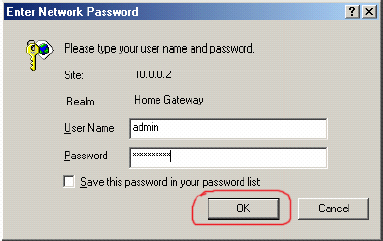
Hicomm HCM 1084 routerlerde port açma; Routerinizin setupına girebilmek için Internet Tarayıcınıza (Internet Browser) (Internet Explorer veya Netscape) Routerinizin IP nosunu (not almıştınız, örnek http://10.0.0.2) yazıp, Enter basın.  Gelen ekranda User Name ve Password girin, değiştirmediyseniz default değerleri; User Name: admin Password: epicrouter girin. Sonra OK i tıklayın.
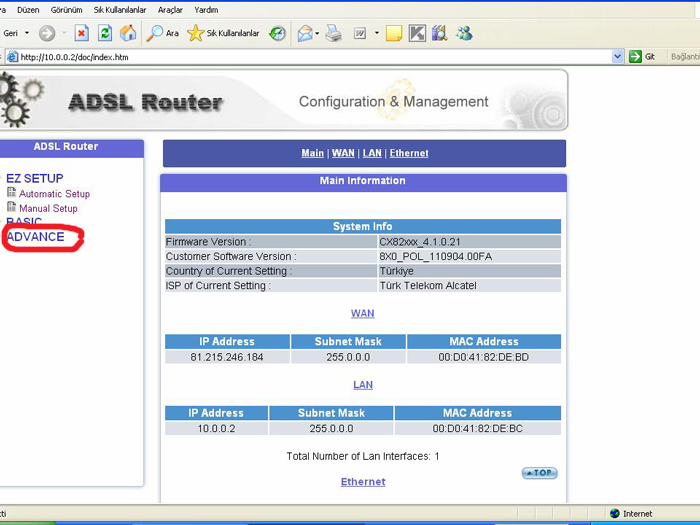
  Aşağıdaki Configuration & Management menüsü çıkacaktır. Soldaki pencereden ADVANCE tıklayın.
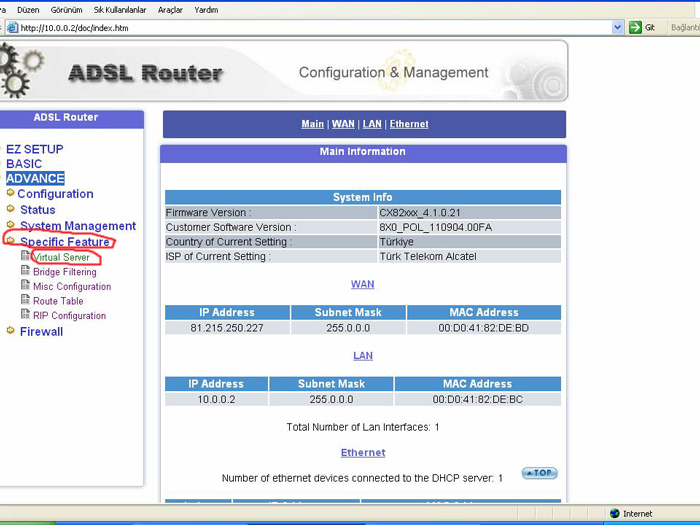
  Açılan pencerede Specific Feature tıklayın. Altında Virtual Server çıkacak, tıklayın.
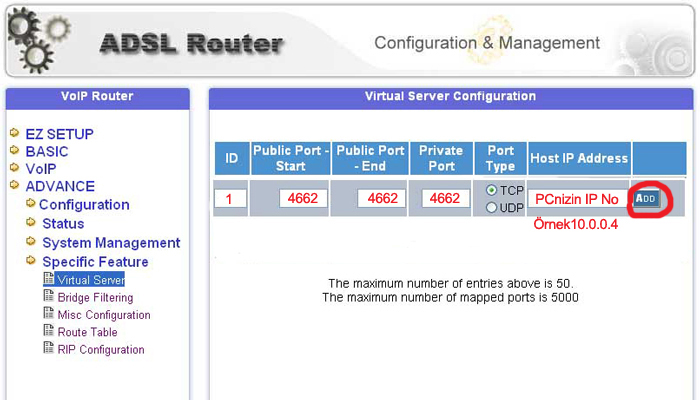
  Aşağıdaki Virtual Server Configuration menüsü çıkacaktır.
 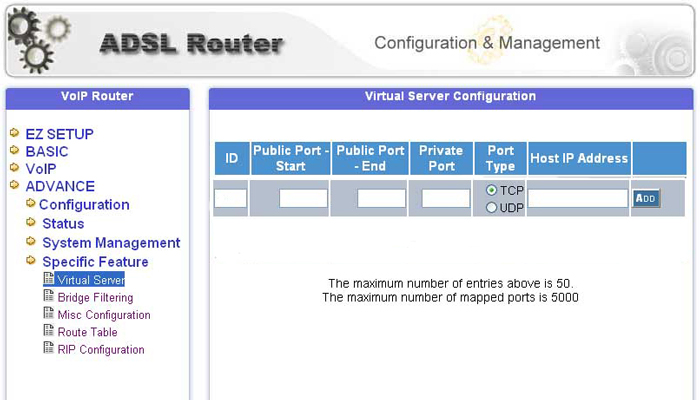 Çıkan menüde eMulenin kullandığı TCP:4662 portu açmak için; Public Port - Start : 4662 Public Port - End : 4662 Private Port : 4662 Port Type : TCP Host IP Address : PCnizin IP nosu (not almıştınız, örnek 10.0.0.4) yazıp. ADD tıklayın.
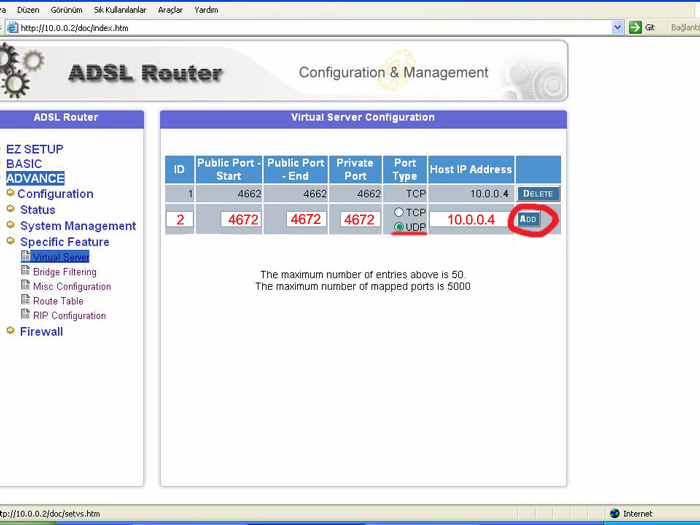
  Çıkan menüde eMulenin kullandığı UDP:4672 portu açmak için; Public Port - Start : 4672 Public Port - End : 4672 Private Port : 4672 Port Type : UDP Host IP Address : PCnizin IP nosu (not almıştınız, örnek 10.0.0.4) yazıp. ADD tıklayın.
  Sonuçta Virtual Server Configuration Menüsü aşağıdaki gibi olmalıdır.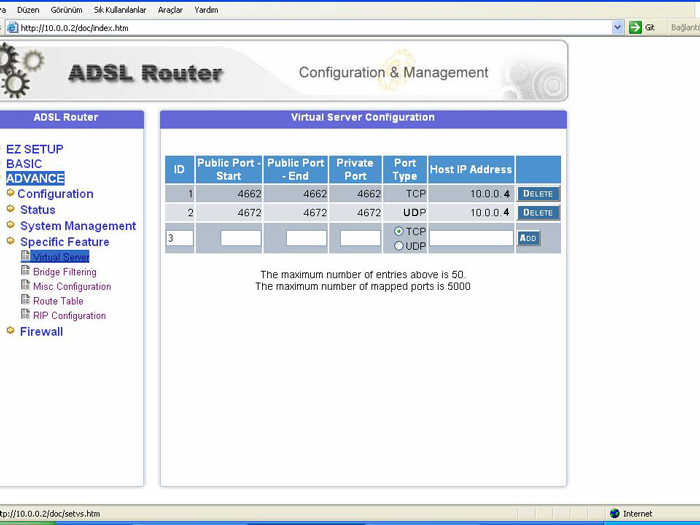
Gelen ekranda User Name ve Password girin, değiştirmediyseniz default değerleri; User Name: admin Password: epicrouter girin. Sonra OK i tıklayın. Aşağıdaki Configuration & Management menüsü çıkacaktır. Soldaki pencereden ADVANCE tıklayın. Açılan pencerede Specific Feature tıklayın. Altında Virtual Server çıkacak, tıklayın. Aşağıdaki Virtual Server Configuration menüsü çıkacaktır. Çıkan menüde eMulenin kullandığı TCP:4662 portu açmak için; Public Port - Start : 4662 Public Port - End : 4662 Private Port : 4662 Port Type : TCP Host IP Address : PCnizin IP nosu (not almıştınız, örnek 10.0.0.4) yazıp. ADD tıklayın. Çıkan menüde eMulenin kullandığı UDP:4672 portu açmak için; Public Port - Start : 4672 Public Port - End : 4672 Private Port : 4672 Port Type : UDP Host IP Address : PCnizin IP nosu (not almıştınız, örnek 10.0.0.4) yazıp. ADD tıklayın. Sonuçta Virtual Server Configuration Menüsü aşağıdaki gibi olmalıdır.